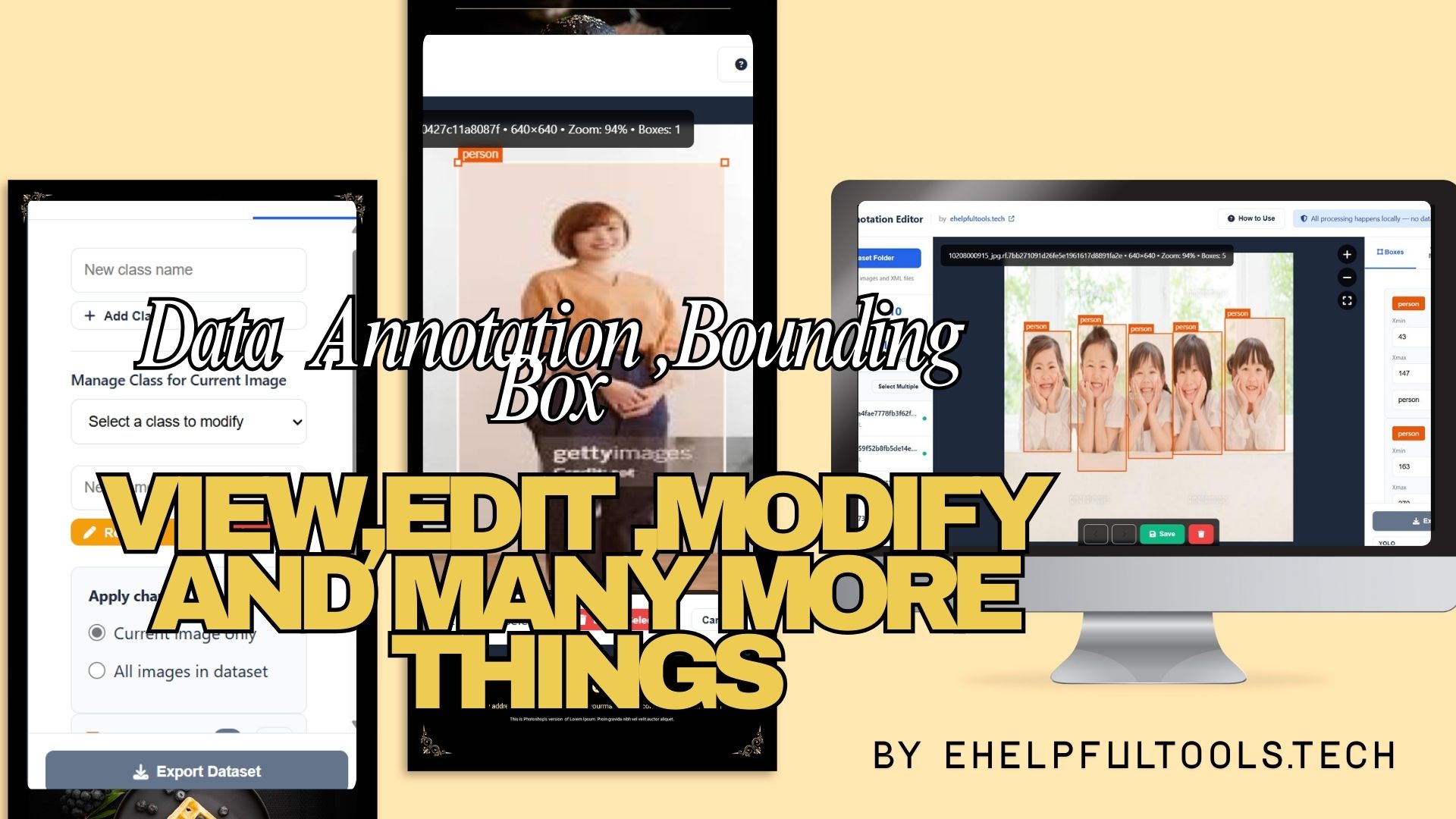
The Complete Guide to Dataset Annotation: Free Online Bounding Box Editor for AI/ML Training Data
In the rapidly evolving world of artificial intelligence and computer vision, high-quality training data is the foundation of successful models. Whether you're working on object detection, facial recognition, autonomous vehicles, or medical imaging analysis, accurate bounding box annotations are crucial. This comprehensive guide introduces you to the Dataset Annotation Editor – a free, professional-grade web tool that simplifies the process of creating, editing, and managing bounding box annotations for your AI training datasets.
What is Dataset Annotation and Why It Matters?
Dataset annotation is the process of labeling images with metadata that helps machine learning models understand visual content. Bounding boxes – rectangular frames drawn around objects of interest – are one of the most common annotation types used in computer vision. They tell AI models exactly where objects are located within images, enabling tasks like object detection, tracking, and recognition.
Real-World Applications
Autonomous Vehicles: Annotating cars, pedestrians, traffic signs, and obstacles for self-driving car training.
Retail Analytics: Tracking products on shelves, monitoring inventory, and analyzing customer behavior.
Medical Imaging: Identifying tumors, organs, and anomalies in X-rays, MRIs, and CT scans.
Security Systems: Face detection, license plate recognition, and suspicious activity monitoring.
Agricultural Technology: Crop health monitoring, yield estimation, and pest detection.
Introducing the Dataset Annotation Editor
The Dataset Annotation Editor by eHelpFulTools is a browser-based solution designed to address the common challenges faced by AI researchers, data scientists, and computer vision engineers. Unlike expensive enterprise solutions or complex desktop applications, our tool offers professional-grade features with zero cost and complete privacy.
Key Advantages Over Traditional Methods
- 100% Free: No subscriptions, no hidden costs, no feature limitations
- Complete Privacy: All processing happens locally in your browser – no data uploads
- No Installation Required: Works instantly in any modern browser
- Multi-Format Support: Pascal VOC, YOLO, JSON formats out of the box
- Professional Features: Drag-and-drop editing, batch operations, validation tools
Comprehensive Feature Breakdown
1. Smart Folder Loading & Dataset Management
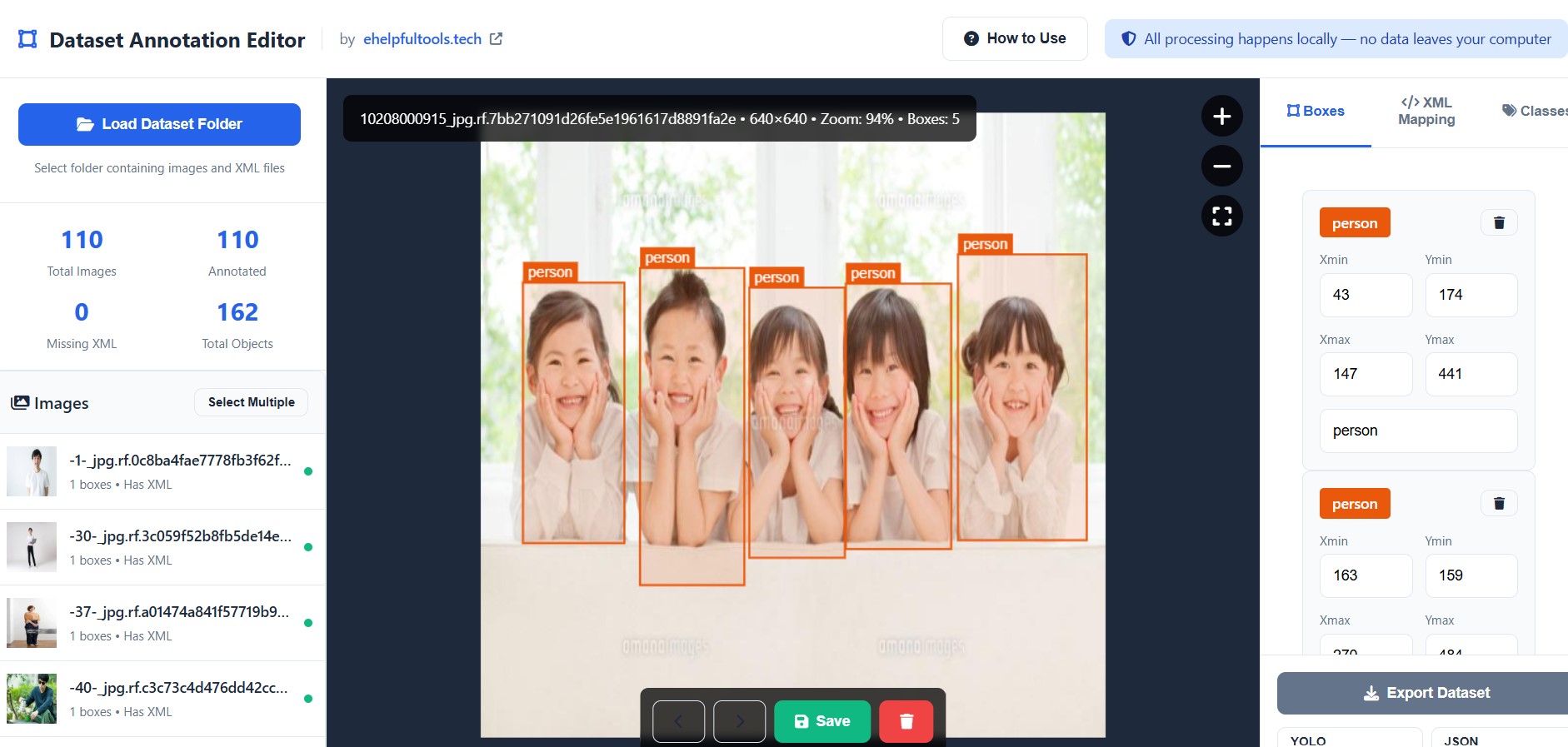
The tool intelligently pairs images with their corresponding XML annotation files by matching filenames. It provides a comprehensive overview of your dataset including total images, annotated images, missing annotations, and total objects detected.
2. Visual Bounding Box Editor
Our canvas-based editor provides intuitive controls for annotation management:
- Click to Select: Instantly select any bounding box
- Drag to Move: Reposition boxes with pixel-perfect accuracy
- Resize Handles: Adjust box dimensions from any corner
- Zoom & Pan: Magnify images for precise annotation
- Multi-Class Support: Color-coded boxes for different object types
3. Advanced Class Management System
Manage your annotation classes with unprecedented flexibility:
Add New Classes
Create custom object categories with automatic color assignment
Rename Classes
Update class names across single images or entire datasets
Batch Operations
Apply changes to current image only or all images simultaneously
4. Multi-Format Export Capabilities
Pascal VOC XML
The industry standard format used by most computer vision frameworks. Our tool generates fully compliant Pascal VOC XML files with all required metadata fields.
YOLO Format
Export annotations in YOLO's normalized coordinate format (.txt files), perfect for training models with the popular YOLO object detection framework.
Custom JSON
Flexible JSON format for custom pipelines and research projects. Easily parsable structure with comprehensive annotation data.
5. Quality Assurance & Validation Tools
Built-in validation detects common annotation errors:
- Boxes outside image boundaries
- Zero-area or invalid bounding boxes
- Missing class labels
- Overlapping annotations (optional)
- Coordinate precision validation
Industry Comparison: How We Stack Up Against Competitors
When choosing an annotation tool, it's essential to understand how different solutions compare. Here's how our free Dataset Annotation Editor measures up against popular commercial and open-source alternatives:
| Feature | Dataset Annotation Editor (Free) | LabelImg (Free) | CVAT (Open Source) | Roboflow (Paid) | Scale AI (Enterprise) |
|---|---|---|---|---|---|
| Cost | Completely Free | Free | Free | Paid Plans | Enterprise Pricing |
| Browser-Based | Yes | No (Desktop) | Yes | Yes | Yes |
| No Installation | Zero Installation | Requires Install | Server Setup | Yes | Yes |
| Local Processing | 100% Local | Local | Server Required | Cloud Processing | Cloud Processing |
| Pascal VOC Support | Full Support | Yes | Yes | Yes | Yes |
| YOLO Format Export | Built-in | Manual Conversion | Yes | Yes | Yes |
| JSON Export | Custom Format | No | Yes | Yes | Yes |
| Batch Operations | Multi-Select & Batch | Single Image | Yes | Yes | Yes |
| Class Management | Advanced System | Basic | Advanced | Advanced | Advanced |
| Validation Tools | Built-in QA | No | Basic | Advanced | Enterprise QA |
| Learning Curve | Beginner Friendly | Easy | Steep | Moderate | Complex |
💡 Why Choose Our Free Tool?
While commercial solutions like Roboflow, Scale AI, and Labelbox offer advanced features, they come with significant costs and privacy concerns. Open-source options like LabelImg and CVAT require technical setup and lack our intuitive browser-based interface. Our Dataset Annotation Editor provides the perfect balance: professional features, complete privacy, zero cost, and instant accessibility.
Step-by-Step Guide: Annotating Your First Dataset
Step 1: Prepare Your Dataset
Organize your images in a folder. If you have existing Pascal VOC XML files, place them in the same folder with matching filenames (image.jpg → image.xml).
Step 2: Load Your Folder
Click "Load Dataset Folder" and select your prepared folder. The tool automatically detects images and their corresponding annotations.
Step 3: Review Existing Annotations
Navigate through images using thumbnails or keyboard shortcuts (A/D or arrow keys). Existing bounding boxes will be displayed with color-coded labels.
Step 4: Edit Annotations
Click boxes to select, drag to move, use corner handles to resize. Delete unwanted annotations with the Delete key or trash icon.
Step 5: Add New Annotations
Click "Add Bounding Box" or hold Shift and click-drag on the image. Select or create class labels for new annotations.
Step 6: Manage Classes
Use the Classes tab to add, rename, or delete object categories. Choose whether to apply changes to current image or entire dataset.
Step 7: Export Your Dataset
Choose your preferred format (Pascal VOC, YOLO, or JSON) and export as a downloadable ZIP file or overwrite original XML files.
Target Audience & Use Cases
Students & Researchers
Perfect for academic projects, thesis work, and research papers. No budget needed for annotation tools, allowing focus on model development and experimentation.
Startup Companies
Early-stage AI startups can build their training datasets without investing in expensive annotation software. Allocate resources to core development instead.
AI/ML Engineers
Professionals working on computer vision projects can quickly fix annotation errors, augment datasets, and prepare data for model training pipelines.
Data Scientists
Clean and prepare visual datasets for analysis, create ground truth data for evaluation, and ensure data quality for reliable model performance.
Technical Specifications & Requirements
Supported File Formats
- Images: JPG, JPEG, PNG (all standard image formats)
- Annotations: Pascal VOC XML, YOLO TXT, Custom JSON
- Export: ZIP archives containing updated files
Browser Compatibility
The tool works flawlessly on:
- Google Chrome (recommended)
- Mozilla Firefox
- Microsoft Edge
- Safari (macOS)
Performance Optimization
Designed for efficiency with large datasets:
- Lazy loading of images (loads only visible images)
- Efficient memory management
- Canvas-based rendering for smooth performance
- Batch processing capabilities
Frequently Asked Questions (FAQ)
Yes, absolutely. The Dataset Annotation Editor is 100% free with no hidden costs, subscriptions, or feature limitations. We believe in making AI tools accessible to everyone.
All processing happens locally in your browser. Your images and annotations never leave your computer. We don't have servers to upload data to, ensuring complete privacy and security for sensitive datasets.
Yes! Once you load the tool in your browser, it works completely offline. You can save the HTML file locally and use it without an internet connection.
The tool is optimized for performance and can handle thousands of images. However, browser memory limitations apply. For extremely large datasets (10,000+ images), we recommend working in batches.
While commercial tools offer team collaboration and advanced automation, our tool provides core annotation features for free. For individual researchers, students, and small teams, it offers everything needed without the cost. See our detailed comparison table above.
While this is a proprietary tool, we welcome feedback and feature requests. You can contact us through our website to suggest improvements or report issues.
SEO Keywords & Search Terms
This tool is optimized for the following search queries:
Conclusion
The Dataset Annotation Editor represents a significant step forward in making professional-grade annotation tools accessible to everyone. By combining powerful features with complete privacy and zero cost, we've created a solution that addresses the real needs of AI researchers, data scientists, students, and businesses.
Whether you're working on a small academic project or preparing training data for a commercial AI application, this tool provides everything you need to create high-quality annotated datasets. The intuitive interface, comprehensive format support, and robust editing capabilities make it an essential tool in any computer vision workflow.
🚀 Ready to Get Started?
Experience the power of professional dataset annotation without the complexity or cost. Visit ehelpfultools.tech/dataset-annotation-editor.html to start annotating your images today – completely free!
Author: AI Tools Team at eHelpFulTools
Last Updated: 28th December 2025
Tool Version: 2.0 Professional Edition